Batches
Scrape thousands of URLs in one job with the batch API, at half the price of on-demand requests.
The batch API is for when you have many URLs and don't need an answer right away. You hand Danubia a list of URLs, it works through them in the background, and you download the results when the job is done.
When to use batches
Batches are a good fit when you:
- Need to crawl hundreds or thousands of pages, not just one.
- Don't need each page immediately, so a queue is fine.
- Want to scrape at half the price of on-demand requests.
If you need a single page back right now, use the Fetch API instead.
How it works
1. Upload your URLs. Your input is a JSONL file: one URL per line. You can also add per-item options on a line as JSON, for example to request a specific format.
https://example.com
https://example.org
{"url": "https://example.com/about", "format": "markdown"}
2. The queue works through them. Danubia processes each URL, following the same politeness rules as on-demand requests: robots.txt is respected and per-domain limits are enforced.
3. Download the results. When the job is ready, you get a JSONL output with one line per input item, in input order. A successful item's line carries the item id and the complete Fetch API response under output — the same fields as POST /api/v1/fetch (content, request echo, redirect chain, page features, cache source, credits), so you decode it with the same schema. A failed item carries a normalized failure { kind, message, status } instead.
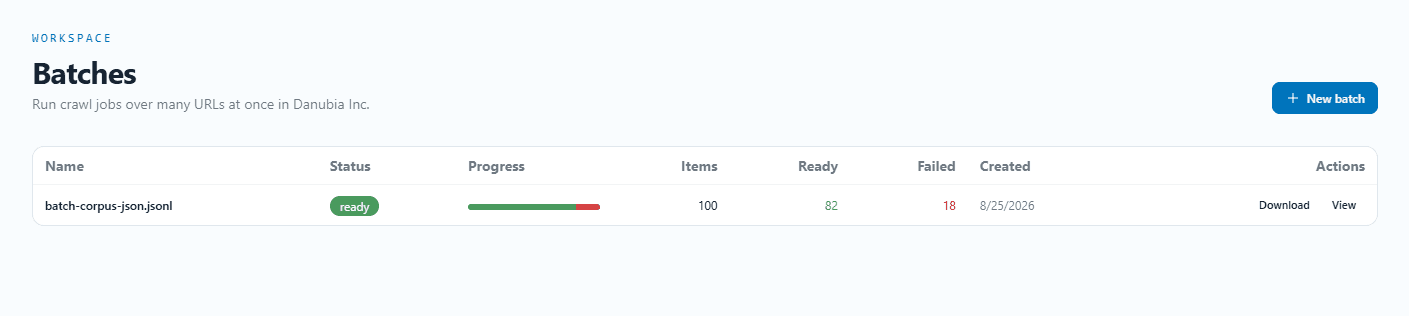
You can create and monitor batches from the dashboard UI, or drive everything from the API. See the REST API reference for the exact endpoints, options and error handling.
Status and pricing
A batch moves through a few states as it runs. You only pay for pages that are delivered, and failed items are free. For the exact pricing and credit behavior, see the public beta and the REST API reference.